Showing posts with label Programming. Show all posts

Saturday, May 10, 2014

My new textbook and job

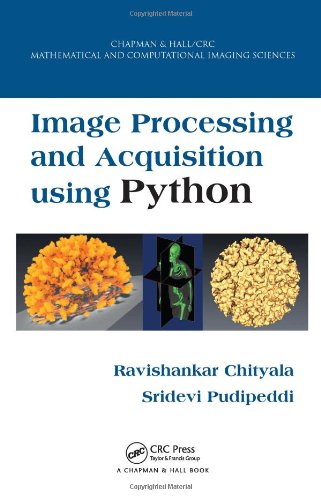
So many things have happened in the last few months and I have not had time to add new entries to my blog. The first is the textbook that I co-authored with Sridevi Pudipeddi which was released at the end of February.  It was marathon run to complete and get the book ready for publishing.  I also moved to a new job in California in April.


During my work as image processing consultant at the Minnesota Supercomputing Institute, I have worked with students in various disciplines of science.  In all these cases, images were acquired using x-ray, CT, MRI, Electron microscope and Optical microscope.  It is important that the students have knowledge of both the physical methods of obtaining images and the analytical processing methods to understand the science behind the images. Thus, a course in image acquisition and processing has broad appeal across the STEM disciplines and is useful for transforming undergraduate and graduate curriculum to better prepare students for their future.

There are books that discusses image acquisition alone and there are books on image processing alone.  The image processing algorithms depend on the image acquisition method. We wrote a book that discusses both, so that students can learn from one source. You can check out sample chapter of the book at reedwith.us. You can buy the book at Amazon by clicking on the image below.

I also changed job.  I started working as Senior Engineer at Elekta in Sunnyvale, CA. I will be focussing mostly on x-ray and CT during my tenure at Elekta.

Thursday, February 14, 2013

Checkpointing in Python

Scientific programs are known to be  computationally expensive.   They generally require significant amount of time for processing. For example, a program  might run  for several hours or days.   It is not always possible to guarantee that the machine in which the program is running will be available to the user over a long period.  In such cases, Checkpointing can be used to store the state of the program at different times, so that the program can be restarted without the need to restart the computation from the beginning. In this post, we will discuss a  method for checkpointing Python programs.

The first program shown below performs  the addition of all numbers from 1 to 200  and prints the sum.   This program might look too simplistic for scientific computation but it provides a good platform for discussing checkpointing.    Instead of computing the sum  from 1 to 200,  imagine computing the same to a really high value such as trillions.   In such case, the  computation might run for hours.  If the program is interrupted, the computation needs to be started from the beginning.

The second program is the check pointed version of the first program.  In  checkpointing, the current state of the program is stored as a file.   Whenever a program runs, it looks for the checkpoint file, so that it can restore the program state. If it does not exist, the program assumes that it is being run for for the first time.  During the computation, the  program outputs its state to a file at regular interval.  The exact time interval is dependent on the program being solved.  If the program runs successfully, the content of the checkpoint file is no longer needed and hence removed from the disk.

In line 7-12,  the  program checks if the checkpoint exist and if it does,  reads its content and stores it in the variable start and total_sum.    If the  checkpoint file does not exist, it  applies a default value.  In the process of computation, the current  state of the program is output to the  checkpoint file (checkpt_file)  every 5th iteration.  The sleep statement  is added to slow the execution.  In this program, the state of the program is stored at every 5th iteration. If the program successfully completes, the checkpoint file is removed using os.unlink method (line 28).

The checkpoint file is written and read using Python's pickle. Thus, any Python datatype that can be pickled can be stored.   Alternate formats such as hdf5, csv, xls etc can also be used to store the file.  pickle was chosen as it is built in to Python and also due to the data stored being a picklable dictionary.

The  image below is a snapshot after running the second program.   The program was interrupted at the 7th iteration.  When the program was restarted, using the command line, it begins with iteration 6 as the state of the program up to iteration 5 was stored in the checkpoint file.


Sunday, February 12, 2012

Python modules for scientific image processing


Recently my friend, Nick Labello working at University of Chicago performed a large scale, large data image processing.  It took one week to process the data acquired over 12 hours.  The program was written in Matlab and was run on a desktop. If the processing time needs to be reduced, the best course of action is to parallelize the program and run it on multiple cores / nodes.  Matlab parallelization can be expensive as it is closed-source commercial software.  Python on the other hand is free and open-source and hence can be parallelized to large number of cores.  Python also has parallelization modules like mpi4py that eases the task.  With a clear choice of programming language, Nick worked on evaluating the various python modules.  The chosen python module was used to rewrite the Matlab program.   Specifically, he reviewed the following

  1. Numpy
  2. Scipy
  3. Pymorph
  4. Mahotas
  5. Scikits-image
  6. Python Imaging Library (PIL)
Nick’s view on the various modules along with some of my view is given below.  

Numpy

It doesn't actually give you any image processing capabilities, but all of the image processing libraries rely on Numpy arrays to store the image data.  As a happy result, it is trivial to bounce between all of the different image processing libraries in the code because they all read and write the same datatype. 

It provides a stable, solid, easy to use very basic functionality (erosion, dilation, etc..).    It is missing a lot of the more advanced functions you might find in Matlab such as functions to find endpoints, perimeter pixels, etc.  These must be pieced together from elementary operations.  The documentation for NDImage is NOT very good for new users.  I had a hard time with it at first.  

It has lots of image processing functions that do not rely on anything but Numpy.  It does not depend on Scipy.  It provides a python only library.  A second interesting thing about PyMorph is that it has quite a lot of functionality compared to the other libraries.  Unfortunately, since it is written in Python, it is hundreds of times slower than Scipy and the other libraries.  This will become an issue for advanced image processing users.


Mahotas  

It provides only the most basic functions, but blazing fast, and, in my experience, twice as fast as the equivalent functions in Scipy.

Scikits-Image  

It picks up where Scipy leaves off and offers quite a few functions not found in Scipy.

Python Imaging Library (PIL)  

It is free to use but is not open-source.  It has very few image processing algorithms and not necessarily useful for scientific imaging.


Enthought  

It is __not__ an image processing library.  It is a python distribution ready for scientific programming.  It has over 100 scientific packages pre-installed, and is compiled against fast MKL/BLAS.  My tests were a little bit faster in Enthought-python than the regular Python by 2-3%.  Your mileage may vary.  The big advantage, though, is that it has everything I need except Mahotas and PyMorph.  Also, Mahotas installs easily on Enthought, whereas it was difficult on the original python installation, due to various dependencies. Enthought is free for students and employees of Universities and Colleges. Others need to pay for the service.

Ravi's view: Personally, I do not have much problem installing python modules to regular python interpreter. The only time it becomes difficult is installing scientific packages like Scipy that have numerous dependencies like Boost libraries. Readymade binary packages do eliminate the installation steps but are not necessarily well tuned for optimal performance. Enthought is a great alternative that is as easy to install and yet optimized for performance.

Thursday, March 27, 2008

Summary of all chapters

Currently I am busy with my other projects and I am not able to continue working on chapters on Draw and Pixel class and also on other useful small projects that you could perform. So meanwhile, I am uploading a file which has all my writing thus far. Enjoy reading.


Magick++ chapter 1 to 6 - Get more free documents

Monday, March 24, 2008

Chapter 6: Image class – Part 2

In chapter 4, we looked at the overview of the Image class and discussed a few functions, for filtering images, in detail using some example program. In this chapter, we will discuss a higher order image processing function like segmentation. We will first demonstrate a program for performing adaptive thresholding and then a program for performing fuzzy c mean clustering. Each of these algorithms will be explained and then the program will be illustrated to ensure complete understanding.


Continue reading the pdf file ...


Chapter 6: Image class – Part 2 - Get more free documents

Friday, March 14, 2008

Chapter 5: Exception class

In this chapter, we will focus on the Exception class, to identify errors in the Magick++ function calls at run time, ensuring easier debugging of code. We will compliment it with example program that will aid in the understanding of its use.

Continue reading the pdf below...


Chapter 5: Exception class - Get more free documents

Sunday, March 9, 2008

Chapter 4: Image class – Part 1

In this previous chapter, we looked at the overview of the various classes available in Magick++. In this chapter, we will focus on the Image class, the base class and learn its features and some of it functionalities. We will compliment these with example programs that will aid in the understanding of its use.

Image class

As indicated earlier, Image class is the main class in Magick++. It can
1.Read and Write almost all common formats including some field domain specific formats like dicom
2.Create new images
3.Perform image filtering1
4.Perform geometric image transformation
5.Improve quality of photographs
6.Perform image modification like slicing, bordering etc
7.Segmentation2
8.Set image attributes
9.and more such features which could not arranged in to this list

Continue reading the pdf below...


Chapter 4: Image class – Part 1 - Get more free documents

Sunday, March 2, 2008

Chapter 3: Introduction to Magick++ classes

In this chapter, we will look at an overview of the various classes available in Magick++. We will list the various classes and a brief description of their function and then a detailed look at how these classes work together in-order to create a good programming practise.

Magick++ classes
There are a total of 11 classes in Magick++. The major class is Image as it can read, write and create images. Other classes like Color, Geometry etc are used to support the functionalities in Image class and other classes. In the following table, the various classes are arranged roughly in the order of importance...

Continue reading the pdf file below...


Chapter 3: Introduction to Magick++ classes - Get more free documents

Sunday, February 24, 2008

Chapter 2: Compiling Magick++ program

In this chapter, we will look at a demonstration program to understand the method for compiling and linking a Magick++ program. Read the pdf file located below ...


Chapter 2: Compiling Magick++ program - Get more free documents

Wednesday, February 20, 2008

Chapter 1: Introduction to Magick++

I have been preparing programs that demonstrate the various capabilities of Magick++. I am planning to prepare them as a set of articles (around 10) that would demonstrate how Magick++ could be integrated in to your C++ program, thus providing an immense power in manipulating images.

In this tutorial, I would introduce some of the basics of Magick++ and in the next tutorial, we would work on the various classes that are defined in Magick++. Subsequently, we would prepare simple programs and with advanced features appearing as we progress.

Continue reading the pdf file below...


Introduction to Magick++ - Get more free documents